
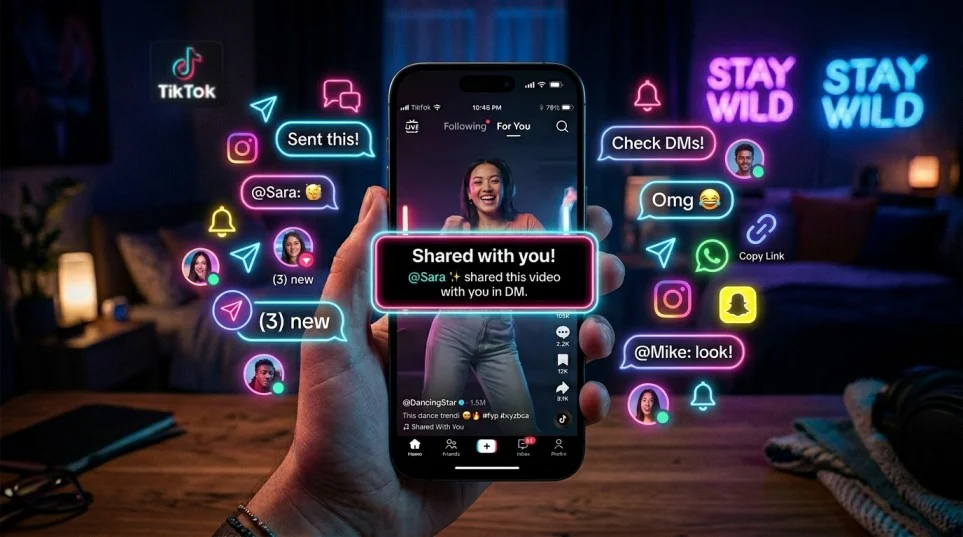
Quick Ans: “Shared With You” on TikTok means someone sent you that video through TikTok direct messages (DMs).
When a friend shares a TikTok with you privately, TikTok may later show the same video in your feed with a small “Shared With You” label. It helps you recognize content your friends already sent to you.
TikTok constantly rolls out new social features. Some are obvious right away. Others leave users scratching their heads like a confused cat staring at a cucumber.
One feature that has created massive curiosity is the “Shared With You” label on TikTok videos.
You open the app. Scroll through your For You Page. Then suddenly, you notice a small label saying:
“Shared With You”
Naturally, questions pop up fast.
- What does shared with you mean on TikTok?
- Did someone send me this video?
- Can other people see it?
- Is this public or private?
- Why does TikTok keep showing these notifications?
The confusion makes sense because TikTok doesn’t fully explain the feature inside the app. The label appears quietly in feeds, messages, and recommendations without much context.
This guide breaks down everything in simple language.
You’ll learn:
- The real shared with you TikTok meaning
- How the TikTok shared with you feature works
- Whether it affects privacy
- Differences between reposts and shared videos
- Why TikTok keeps showing shared content
- How TikTok’s algorithm uses social sharing
- Whether you can remove the feature
- Common TikTok DM notification issues and fixes
By the end, you’ll completely understand the TikTok shared with you explained system without any vague answers or filler.
What Does “Shared With You” Mean on TikTok?
The phrase “Shared With You” on TikTok means another user privately sent you that video through TikTok direct messages.
That’s it.
When someone shares a TikTok video with you using TikTok’s messaging system, the platform may attach a small “Shared With You” label to that video later when it appears in your feed.
It acts like a reminder.
TikTok basically says:
“Hey, someone already sent this video to you.”
The feature connects TikTok direct message activity with video recommendations inside the app.
Simple Example
Imagine your friend sends you a funny cooking video through TikTok DMs.
Later that day, while scrolling your For You Page, you may see the exact same video again. This time, TikTok adds the “Shared With You” label beneath the creator’s name or near the caption area.
The app uses this label to show:
- A friend interacted with this content
- The video already exists in your messages
- The content may matter more to you socially
This is why many users search for:
- what is shared with you on TikTok
- shared with you meaning TikTok
- why does TikTok say shared with you
All those phrases point to the same feature.
Where Does the “Shared With You” Label Appear on TikTok?
The TikTok shared with you notification can appear in several places inside the app.
TikTok changes interface layouts often. However, most users notice the label in these sections.
Shared With You on the For You Page
This is the most common location.
You scroll normally. Then TikTok displays a video with a small social label showing someone shared it with you previously.
This helps TikTok merge:
- private interactions
- feed recommendations
- social engagement signals
The app wants videos shared by friends to feel more relevant.
Shared With You in TikTok Inbox Conversations
Inside TikTok DMs, shared videos appear directly in chat threads.
These messages usually include:
- the creator video preview
- caption snippet
- sender name
- clickable video link
TikTok’s inbox meaning has evolved beyond simple chatting. The platform now treats messaging as a major engagement feature.
Shared With You in Notifications
Some users receive:
- push notifications
- inbox alerts
- TikTok message notifications
Examples include:
- “Someone shared a video with you”
- “Check out what your friend sent”
These alerts drive users back into the app quickly.
TikTok thrives on repeated engagement loops.
Shared With You in Suggested Content
TikTok sometimes boosts shared videos into recommendations.
If several friends send you similar content categories, TikTok’s algorithm may assume you enjoy that niche.
For example:
- fitness clips
- relationship memes
- gaming edits
- anime videos
- travel content
Soon your feed becomes packed with related recommendations.
That’s the power of TikTok content sharing data.
How the TikTok Shared With You Feature Works
The TikTok shared with you feature combines messaging behavior with recommendation technology.
This is not random.
TikTok carefully tracks interaction patterns to increase watch time and social activity.
Here’s how it works behind the scenes.
TikTok Direct Messages Trigger the Label
The feature activates when someone shares content through TikTok’s built-in sharing system.
Usually the process looks like this:
- A user taps the Share button
- They select your profile
- TikTok sends the video into DMs
- The app records the interaction
- TikTok may later add “Shared With You” to that content
This creates a connection between:
- the sender
- the recipient
- the video
- the recommendation system
TikTok Uses Social Signals for Recommendations
TikTok’s algorithm doesn’t only track views anymore.
It now studies:
- shares
- saves
- rewatches
- comments
- profile visits
- direct messages
- friend interactions
Private sharing has become one of TikTok’s strongest engagement signals.
Why?
Because people usually share videos they genuinely find entertaining.
That makes shared videos highly valuable to TikTok’s recommendation engine.
Shared Videos Increase Engagement
TikTok wants users to:
- stay longer
- interact more
- message friends
- return frequently
The “Shared With You” feature strengthens social connections inside the app.
Instead of passive scrolling, TikTok encourages active communication.
That strategy increases:
- retention
- daily usage
- emotional engagement
- content discovery
In simple words:
TikTok wants the app to feel less like television and more like a social hangout.
Why TikTok Introduced the Shared With You Feature
TikTok did not add this feature by accident.
The company introduced it because social sharing dramatically boosts engagement metrics.
Here’s why the feature matters.
TikTok Wants More Private Sharing
Public comments are visible to everyone.
Private shares feel more personal.
People often send TikToks to:
- friends
- partners
- coworkers
- siblings
- group chats
That creates emotional interaction.
A funny meme shared privately usually feels more meaningful than a random public post.
Direct Messages Keep Users Active
Social apps compete fiercely for user attention.
TikTok now competes with:
- Instagram DMs
- Snapchat chats
- WhatsApp sharing
- Messenger conversations
Adding better messaging features helps TikTok keep users inside its ecosystem.
Instead of sending Instagram Reels elsewhere, TikTok wants users sharing TikToks internally.
Shared Videos Spread Faster
One viral video can explode because of private sharing.
A single user may send a video to:
- five friends
- group chats
- family members
Those people share it again.
The cycle snowballs fast.
That’s why TikTok social sharing plays a massive role in viral growth.
Is “Shared With You” on TikTok Private?
One of the biggest concerns users have involves privacy.
People worry:
- Can others see shared videos?
- Does TikTok expose private shares?
- Are messages public?
Thankfully, the feature stays mostly private.
Who Can See the Shared With You Label?
Only the recipient sees the label.
If your friend shares a TikTok with you:
- you may see “Shared With You”
- other random users will not
TikTok doesn’t publicly display:
- who shared the video
- your private messages
- DM history
The feature is personalized.
Can Other People See What You Share?
Private TikTok shares remain private unless:
- screenshots are taken
- messages are forwarded
- users repost publicly
TikTok separates:
- private sharing
- public reposting
That distinction matters a lot.
Does TikTok Track Shared Content?
Yes.
TikTok records interaction behavior for algorithm improvement.
The app analyzes:
- which videos get shared
- who shares them
- how often
- viewing behavior afterward
This helps TikTok refine recommendations.
Almost every major social platform does this now.
Difference Between Repost and Shared With You on TikTok
Many users confuse reposts with shared videos.
However, these features work very differently.
| Feature | Shared With You | Repost |
|---|---|---|
| Visibility | Private | Public to followers |
| Appears in DMs | Yes | No |
| Seen by Others | No | Yes |
| Triggered By | Direct sharing | Reposting manually |
| Algorithm Impact | Strong | Strong |
| Social Interaction Type | Private messaging | Public engagement |
What Is a TikTok Repost?
A repost lets users share videos publicly with followers.
It works similarly to retweeting on older social platforms.
When someone reposts:
- followers may see the video
- repost indicators appear
- engagement spreads publicly
Reposts influence public feed activity.
What Is Shared With You on TikTok?
Shared With You stays inside private communication.
It usually happens through:
- direct messages
- inbox sharing
- private recommendations
This makes the feature more personal.
Why Users Confuse Reposts and Shared Videos
TikTok blends social signals heavily.
Sometimes users see:
- reposted videos
- friend-liked content
- shared videos
all within the same scrolling session.
The interface can feel confusing because multiple engagement systems overlap.
Why Does TikTok Say Shared With You Repeatedly?
Some users notice the label constantly.
That happens for several reasons.
Your Friends Share Lots of TikToks
Heavy DM users naturally trigger more shared labels.
If your friends constantly send:
- memes
- trends
- edits
- reactions
- funny clips
TikTok keeps surfacing them.
TikTok’s Algorithm Prioritizes Social Content
TikTok believes friend-shared content matters more than random uploads.
Social recommendations often outperform standard recommendations because:
- trust exists
- emotional connection exists
- users engage longer
This is why TikTok friend activity influences your feed.
Viral Videos Get Shared Thousands of Times
Highly viral TikToks often appear everywhere.
If multiple people send the same clip, TikTok aggressively promotes it.
That creates repeated exposure.
You Interact With Shared Videos Frequently
The algorithm studies your habits carefully.
If you:
- watch shared videos fully
- like them
- comment
- rewatch
- reply in DMs
TikTok assumes you enjoy socially shared content.
Then the app pushes more of it.
Does Shared With You Mean Someone Sent Me a TikTok?
Yes.
In almost every case, the label means someone directly shared that TikTok with you through TikTok’s messaging system.
That’s the core meaning.
However, there are small exceptions.
Sometimes TikTok may surface older shared content again because:
- the video becomes viral
- the algorithm revives it
- multiple friends interact with it
Still, the original trigger usually involves direct sharing.
Can People See When You Share TikToks?
This question appears constantly.
The answer depends on how you share the content.
| Sharing Type | Visible to Others |
|---|---|
| Direct Message Share | No |
| Public Repost | Yes |
| Copy Link Outside TikTok | No |
| Group Chat Share | Only chat members |
| Story Share | Potentially yes |
Private TikTok Sharing Stays Mostly Hidden
TikTok DMs remain private between participants.
Other users cannot normally see:
- who you send videos to
- what videos you share privately
- your inbox activity
That’s why the TikTok private sharing feature feels more secure.
Public Reposts Are Different
Reposts create public engagement signals.
Followers may notice:
- repost labels
- feed recommendations
- repeated creator exposure
Never confuse reposts with direct shares.
How to Share TikTok Videos With Friends
Sharing TikToks takes only seconds.
Still, many users don’t fully understand all available sharing options.
Sharing Through TikTok Direct Messages
This is the most common method.
Steps
- Open a TikTok video
- Tap the Share icon
- Select a friend
- Send instantly
The recipient may later see:
- the DM itself
- a shared with you notification TikTok label
- related recommendations
Sharing Through External Apps
TikTok also supports outside sharing.
You can:
- copy links
- send through WhatsApp
- share via Messenger
- text videos
- post elsewhere
This expands TikTok’s reach beyond the platform.
Group Sharing on TikTok
TikTok group chats allow multiple users to receive the same content simultaneously.
This helps trends spread incredibly fast.
Especially:
- reaction memes
- celebrity clips
- gaming moments
- relationship jokes
- sports edits
Where Is the Shared With You Section on TikTok?
Many users search for a dedicated shared with you tab TikTok section.
Currently, TikTok does not have a standalone “Shared With You” tab like some messaging apps.
Instead, the feature appears dynamically across:
- For You Page
- Inbox
- direct messages
- recommendations
That’s why some users feel confused while searching for it.
How to Find Shared Videos on TikTok
You can locate shared content through:
- Inbox tab
- direct message history
- message notifications
- shared chat threads
TikTok Inbox Meaning Explained
TikTok’s inbox now combines:
- notifications
- likes
- comments
- followers
- mentions
- shared videos
- DM conversations
The app transformed the inbox into a full communication center.
How to Remove Shared With You on TikTok
Many users want to disable the feature entirely.
Right now, TikTok offers limited controls.
Still, you can reduce how often it appears.
Limit Direct Message Activity
Less sharing interaction usually reduces shared labels.
You can:
- mute conversations
- stop replying
- limit message permissions
Adjust TikTok Privacy Settings
Open:
- Settings
- Privacy
- Direct Messages
From there you can restrict:
- who messages you
- friend requests
- suggested interactions
Clear TikTok Cache
Sometimes the feature persists due to cached recommendation data.
To clear cache:
- Open TikTok settings
- Tap Free Up Space
- Clear cache
This may temporarily reset recommendation patterns.
Reduce Recommendation Signals
You can train TikTok’s algorithm manually.
Try:
- skipping unwanted videos
- selecting “Not Interested”
- avoiding interaction with shared content
Algorithms learn surprisingly fast.
TikTok Shared With You Not Showing
Some users experience the opposite issue.
Friends send videos. Yet no label appears.
This usually happens because of technical or algorithmic reasons.
The Feature Rolls Out Gradually
TikTok often tests features region by region.
Some users receive:
- new UI updates
- labels
- recommendation systems
before others do.
App Version Problems
Older app versions may lack:
- updated sharing systems
- DM enhancements
- notification features
Updating TikTok often fixes this.
TikTok Algorithm Variations
Not every shared video receives the label.
TikTok selectively chooses:
- highly engaged videos
- socially relevant content
- repeated shares
The feature is partly algorithmic.
Common TikTok Shared Content Problems
TikTok messaging systems occasionally malfunction.
Here are the most common issues users face.
| Problem | Likely Cause | Solution |
|---|---|---|
| Shared label missing | Old app version | Update TikTok |
| Videos not loading | Internet issues | Restart connection |
| Messages delayed | Server lag | Wait and refresh |
| Inbox empty | Sync error | Log out and back in |
| Shared video unavailable | Deleted content | Ask sender again |
How TikTok’s Algorithm Uses Shared Videos
TikTok’s recommendation engine studies social behavior aggressively.
Private sharing acts as a powerful quality signal.
Shared Videos Increase Content Ranking
If many users share the same TikTok:
- the algorithm notices quickly
- engagement score rises
- distribution expands
Shares often matter more than likes.
Why?
Because sharing requires intentional action.
TikTok Values Emotional Reactions
People usually share videos that create:
- laughter
- shock
- excitement
- nostalgia
- curiosity
Emotional content spreads faster.
That’s why viral TikTok features often rely on highly shareable emotions.
Friend Activity Shapes Recommendations
TikTok increasingly uses social graph behavior.
If your friends interact with:
- cooking content
- sports edits
- motivational clips
TikTok may recommend similar categories to you.
The app assumes friend groups share interests.
Does Shared With You Affect Privacy or Safety?
The feature itself is relatively safe.
However, users should still stay cautious.
Watch Out for Spam Accounts
Fake profiles sometimes send:
- suspicious links
- scam promotions
- phishing attempts
Never trust unknown accounts automatically.
Avoid Clicking Suspicious Links
Some users bypass TikTok’s normal sharing system using external links.
Always verify:
- usernames
- source credibility
- suspicious requests
Protect Your TikTok Account
Good privacy habits matter.
Recommended settings:
- Enable two-factor authentication
- Restrict messages to friends
- Avoid public personal information
- Monitor login activity
TikTok Shared With You vs Other Social Platforms
TikTok isn’t alone here.
Most social platforms now prioritize private sharing.
| Platform | Similar Feature |
|---|---|
| Shared Posts in DMs | |
| Snapchat | Snap Sharing |
| Messenger Shares | |
| YouTube | Shared Videos |
| TikTok | Shared With You |
Private communication has become the backbone of social engagement.
Public posting matters less than before.
Why Private Sharing Is Dominating Social Media
People increasingly prefer:
- smaller conversations
- private humor
- close-friend sharing
- personal recommendations
Public feeds can feel noisy.
Private sharing feels authentic.
TikTok understands this shift extremely well.
TikTok Communication Tools Keep Expanding
TikTok started as a simple short-video app.
Now it includes:
- messaging
- group chats
- repost systems
- creator interaction
- story-style features
- live streaming
- collaborative engagement tools
The platform continues evolving into a complete social ecosystem.
How Shared Videos Influence Viral Trends
Private sharing often launches viral explosions before public visibility catches up.
Here’s how a typical viral cycle works:
Funny Video Posted
        ↓
Friends Share It Privately
        ↓
More Users Watch Fully
        ↓
Engagement Signals Rise
        ↓
TikTok Promotes It Broadly
        ↓
Video Goes Viral
This process happens incredibly fast.
Sometimes within hours.
TikTok User Interaction Is More Complex Than Ever
Modern TikTok engagement involves multiple layers.
Public Interactions
- likes
- comments
- reposts
Private Interactions
- DMs
- shared videos
- group chats
Passive Signals
- watch time
- rewatches
- pauses
- skips
Together, these signals shape your entire feed.
Why Shared Videos Feel More Relevant
People trust recommendations from friends more than algorithms.
That psychological factor matters.
If your friend sends:
- a hilarious meme
- a useful tutorial
- a shocking clip
you’re far more likely to watch fully.
TikTok knows this.
That’s exactly why the shared with you TikTok meaning matters to the platform.
TikTok Shared Videos and Creator Growth
Creators benefit massively from private sharing.
A creator with:
- moderate followers
- high share rates
can outperform creators with larger audiences.
Shares increase:
- retention
- discoverability
- recommendation priority
Some creators optimize videos specifically for shareability.
Types of TikToks People Share Most
Certain categories dominate private sharing.
| Content Type | Why People Share It |
|---|---|
| Memes | Humor |
| Relationship Videos | Relatable emotions |
| Cooking Hacks | Useful tips |
| Motivational Clips | Inspiration |
| Pet Videos | Emotional reactions |
| Gaming Highlights | Entertainment |
| Celebrity Drama | Curiosity |
Emotion drives sharing behavior.
Always.
Signs a TikTok Was Shared Frequently
Even without the label, heavily shared videos often show:
- massive engagement
- repeated appearances
- fast viral growth
- comment explosions
- broad recommendation reach
TikTok rarely reveals exact share counts publicly now, but the algorithm clearly prioritizes shared content.
Why TikTok Pushes Social Features Aggressively
Social interaction increases platform addiction loops.
When friends engage together:
- users stay longer
- emotional investment rises
- daily return rates increase
TikTok understands human behavior extremely well.
The platform isn’t just showing videos anymore.
It’s building social habits.
Frequently Asked Questions About Shared With You on TikTok
What does shared with you mean on TikTok messages?
It means someone privately sent you a TikTok video through direct messages using TikTok’s sharing system.
Why am I seeing shared with you on TikTok?
TikTok adds the label when videos previously shared through DMs appear again in your recommendations or feed.
Does shared with you mean someone sent me a TikTok?
Yes. In most cases, another user directly shared that video with you.
Can people see when you share TikToks?
Private DM shares remain private. Public reposts are visible to followers.
Is shared with you the same as repost?
No. Reposts are public engagement actions. Shared With You refers to private direct message sharing.
How does shared with you work on TikTok?
TikTok connects direct message activity with its recommendation algorithm. Shared videos may later appear in your feed with the label attached.
Can I remove shared with you on TikTok?
There is currently no full disable option. However, reducing DM interaction and adjusting privacy settings may reduce it.
Where is the shared with you section on TikTok?
There is no dedicated tab right now. Shared content appears across DMs, inbox notifications, and recommended videos.
Why does TikTok keep showing shared videos?
TikTok’s algorithm treats shared content as highly engaging and socially important.
What happens when someone shares a TikTok with you?
The video appears in your direct messages. TikTok may also use that interaction to personalize your feed recommendations.
Final Thoughts on the TikTok Shared With You Feature
The shared with you meaning TikTok users keep searching for is actually pretty simple once you break it down.
The feature exists to connect:
- direct messages
- friend activity
- recommendations
- social engagement
When TikTok says “Shared With You,” it usually means someone privately sent that video through TikTok DMs.
That’s the core idea.
However, behind that small label sits a much bigger system powered by:
- recommendation algorithms
- social interaction signals
- engagement tracking
- private sharing behavior
TikTok increasingly prioritizes social discovery instead of passive scrolling alone.
The app wants users to:
- communicate more
- share more videos
- interact privately
- build habits around messaging
That’s why the TikTok shared with you feature keeps expanding.
Understanding how these systems work helps you:
- manage privacy better
- control recommendations
- understand TikTok notifications
- avoid confusion around reposts and shares
At the end of the day, the feature isn’t mysterious.
It’s simply TikTok blending private sharing with personalized recommendations to keep users connected, entertained, and constantly engaged.
Discover More:-