Quick Ans: Texting has become part of daily life. People send billions of messages every day without thinking much about the technology behind them. Yet one term still appears everywhere: SMS.
You see it in phone settings, verification codes, banking alerts, and messaging apps. Many people use the word every day while still wondering about the actual SMS meaning in text.
So what does SMS really mean?
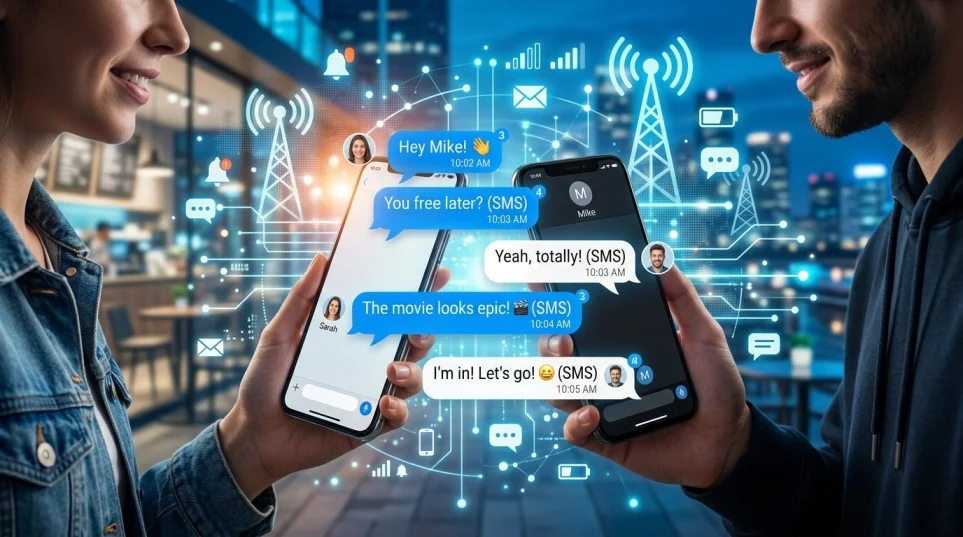
SMS stands for Short Message Service. It refers to the standard system mobile phones use to send and receive text-only messages over cellular networks. Before apps like WhatsApp, Messenger, Telegram, and iMessage became popular, SMS powered almost every text conversation worldwide.
Even today, SMS remains one of the most important communication systems on Earth.
Banks rely on it. Businesses use it for alerts. Governments send emergency notifications through it. Online accounts use SMS verification for security. In simple words, SMS still acts like the backbone of mobile communication.
This guide explains everything clearly and simply. You’ll learn:
- What SMS means in texting
- How SMS works on phones
- The difference between SMS, MMS, and chat apps
- Why SMS still matters
- SMS history and evolution
- Security risks and privacy concerns
- How businesses use SMS marketing
- Common SMS slang and abbreviations
- Frequently asked SMS questions
By the end, you’ll understand the complete meaning of SMS in text messaging without confusion.
What Does SMS Mean in Text?
The phrase SMS meaning in text usually refers to the definition of SMS inside texting and mobile communication.
SMS Full Form in Text Messages
SMS stands for:
Short Message Service
The name sounds technical, yet the idea is simple.
SMS lets one mobile phone send a short written message to another phone through a cellular network.
When someone says:
“Send me an SMS”
They simply mean:
“Send me a text message.”
SMS became popular because it allowed fast communication without making phone calls. Instead of speaking, users could type short written messages and send them instantly.
That changed communication forever.
Simple Definition of SMS
Here’s the easiest way to understand it:
SMS is the standard technology used for sending text messages between mobile phones.
Unlike internet-based messaging apps, SMS works through mobile carrier networks.
That means SMS usually does not need:
- Wi-Fi
- Mobile internet
- Social media accounts
- Messaging apps
As long as your phone has cellular service, SMS can usually work.
Why Is It Called Short Message Service?
The term “short” comes from the original message size limit.
Traditional SMS messages allow:
- 160 characters using standard Latin alphabets
- Fewer characters for some special symbols and languages
Back when mobile phones had tiny screens and physical keyboards, this limit seemed reasonable.
People learned to shorten words creatively:
- LOL
- BRB
- IDK
- OMG
In many ways, SMS helped create modern internet slang.
Example of SMS in a Sentence
Here are common examples people use daily:
- “I sent you an SMS yesterday.”
- “My phone didn’t receive the SMS code.”
- “The bank sent an SMS alert.”
- “Please confirm through SMS.”
- “I got an SMS notification.”
In real life, most people simply say “text message” instead of SMS. Still, both terms often mean the same thing.
How SMS Works on a Phone
Many people know how to send texts. Fewer understand how SMS messaging actually works behind the scenes.
The process looks simple on the surface. Underneath, telecom systems handle millions of messages every minute.
Basic SMS Communication System Explained
When you send an SMS:
- Your phone creates the text message
- The message travels through your mobile carrier
- A message center processes it
- The carrier locates the recipient’s phone
- The network delivers the message
All this usually happens within seconds.
The system uses something called an:
SMSC (Short Message Service Center)
Think of the SMSC like a digital post office.
If the recipient’s phone is unavailable, the SMSC temporarily stores the message and retries delivery later.
That’s why SMS often works even when phones briefly lose signal.
How SMS Works Without Internet
One reason SMS survived for decades is reliability.
SMS uses the cellular signaling network instead of internet data.
That means users can still send messages when:
- Wi-Fi is unavailable
- Mobile data is turned off
- Internet speed is weak
- Smartphones are outdated
This made SMS extremely important in rural areas and developing regions.
Even basic feature phones can send SMS.
SMS Character Limit Meaning
Traditional SMS messages support:
| SMS Type | Character Limit |
|---|---|
| Standard SMS | 160 characters |
| Unicode SMS | 70 characters |
Unicode messages include:
- Emojis
- Special symbols
- Non-Latin scripts
When users exceed the limit, phones often split the text into multiple connected messages.
Modern phones usually merge them automatically.
Why SMS Delivery Feels Fast
SMS messages travel through optimized telecom systems designed for rapid delivery.
Unlike large multimedia files, SMS contains lightweight text data.
That allows:
- Faster transmission
- Lower network load
- Quick processing
- Better reliability during emergencies
Even during internet outages, SMS sometimes continues working.
That reliability remains one of SMS’s biggest strengths.
History of SMS Messaging
To understand the meaning of SMS fully, it helps to explore its origins.
SMS did not appear overnight. Engineers developed it gradually during the rise of mobile communication networks.
When Was SMS Invented?
The concept emerged during the 1980s as part of GSM mobile communication standards.
The first SMS message was sent in:
1992
Engineer Neil Papworth reportedly sent the message:
“Merry Christmas”
It was sent from a computer to a mobile phone.
That simple greeting started a communication revolution.
Early SMS Limitations
Early mobile phones had major restrictions:
- Tiny screens
- Limited memory
- Physical number-key keyboards
- Expensive message costs
Yet people loved texting because it felt convenient.
You could communicate silently without making calls.
That mattered in:
- Offices
- Schools
- Meetings
- Public transportation
SMS quickly became part of youth culture worldwide.
The Rise of Text Messaging in the 2000s
During the early 2000s, SMS exploded globally.
Teenagers especially embraced texting culture.
People created abbreviations to save time and characters:
| SMS Slang | Meaning |
|---|---|
| LOL | Laugh Out Loud |
| BTW | By The Way |
| TTYL | Talk To You Later |
| OMG | Oh My God |
| IMO | In My Opinion |
Mobile carriers also made huge profits from text messaging fees.
At one point, SMS became one of the most profitable telecom services ever created.
How Smartphones Changed SMS
Smartphones introduced internet-based messaging apps.
Suddenly users could send:
- Photos
- Videos
- Voice notes
- Stickers
- Group chats
Apps like WhatsApp and Messenger reduced SMS dominance.
Still, SMS never disappeared.
Instead, it evolved into a utility-focused communication tool.
Today SMS mainly handles:
- Verification codes
- Alerts
- Notifications
- Business communication
- Emergency messaging
SMS vs Text Message: Is There a Difference?
Many people ask:
“Is SMS the same as texting?”
The answer depends on context.
Why People Use the Terms Interchangeably
In everyday conversation:
- SMS
- Text message
- Texting
often mean the same thing.
If someone says:
“Text me later”
they usually mean sending an SMS or another written mobile message.
Most users never think about the technical differences.
Technical Difference Between SMS and Texting
Here’s the important distinction:
| Term | Meaning |
|---|---|
| SMS | Specific messaging technology |
| Texting | General act of sending written messages |
SMS refers to the actual telecom protocol.
Texting describes the behavior itself.
That means texting can happen through:
- SMS
- Messenger
- Telegram
- iMessage
- Signal
Not all texting uses SMS anymore.
Why This Difference Matters
The distinction becomes important in certain situations.
For example:
Verification Codes
Banks often send codes through SMS specifically because it works universally.
Carrier Charges
Some phone plans charge separately for SMS messages.
Internet Dependence
Apps require internet. SMS usually does not.
Common Types of SMS Messages
SMS communication evolved beyond personal chatting.
Today different industries use SMS for many purposes.
Personal SMS Messages
These are traditional person-to-person texts.
Examples include:
- Greetings
- Conversations
- Quick updates
- Family communication
- Friend chats
Despite messaging apps, many people still use SMS regularly.
Business SMS Messaging
Businesses heavily depend on SMS because customers almost always open texts.
Common business uses include:
- Promotions
- Flash sales
- Coupons
- Customer reminders
- Shipping updates
SMS marketing has exceptionally high engagement rates compared to email.
OTP and Verification SMS
One of SMS’s most important modern roles involves security.
OTP means:
One-Time Password
Companies send temporary codes through SMS to verify identity.
Examples include:
- Banking logins
- Account recovery
- Two-factor authentication
- Purchase confirmation
Even giant tech platforms still use SMS verification widely.
Automated SMS Notifications
Many systems automatically send SMS updates.
Examples include:
| SMS Alert Type | Example |
|---|---|
| Banking | Transaction alert |
| Healthcare | Appointment reminder |
| Airlines | Flight update |
| Delivery apps | Package tracking |
| Schools | Emergency announcements |
These alerts improve speed and convenience dramatically.
SMS Slang and Texting Language
SMS influenced digital communication more than most people realize.
Modern internet slang grew directly from texting culture.
Why SMS Created Text Abbreviations
The 160-character limit forced users to shorten words creatively.
Typing also took longer on old numeric keypads.
To save effort, people invented abbreviations.
Examples include:
| Short Form | Full Meaning |
|---|---|
| BRB | Be Right Back |
| IDK | I Don’t Know |
| TBH | To Be Honest |
| SMH | Shaking My Head |
| FYI | For Your Information |
These phrases later spread to:
- Social media
- Gaming
- Online forums
- Workplace chats
SMS Changed Online Communication Forever
Texting normalized informal writing.
People became comfortable using:
- Emojis
- Acronyms
- Casual grammar
- Abbreviated expressions
Before texting, written communication often sounded formal.
SMS made digital language feel human and conversational.
Modern SMS Language Trends
Today SMS slang keeps evolving.
Popular modern examples include:
| Modern Text Term | Meaning |
|---|---|
| Bet | Okay / agreed |
| Ghosting | Ignoring messages |
| Sus | Suspicious |
| No cap | No lie |
| FR | For real |
Texting culture constantly adapts to internet trends.
Advantages of SMS Messaging
Despite modern apps, SMS still offers major advantages.
That explains why telecom systems continue supporting it globally.
SMS Works Without Internet
This remains SMS’s biggest strength.
You can often send SMS messages even when:
- Internet fails
- Data runs out
- Wi-Fi disconnects
That reliability matters during emergencies.
SMS Has Extremely High Open Rates
Most people read texts quickly.
Research consistently shows SMS open rates exceed email significantly.
Why?
Phones instantly display incoming texts through notifications.
People rarely ignore them.
Universal Device Compatibility
SMS works on:
- Smartphones
- Flip phones
- Feature phones
- Budget devices
Users don’t need special apps or accounts.
That universality makes SMS incredibly practical.
Fast Communication During Emergencies
Governments use SMS alerts during:
- Natural disasters
- Weather emergencies
- Safety warnings
- Evacuations
Cellular networks often remain operational longer than internet systems.
Simple and Lightweight
SMS does not overload devices with heavy media files.
Text-only communication uses minimal resources.
That helps older phones function efficiently.
Limitations of SMS
Although SMS remains useful, it also has weaknesses.
Modern messaging apps outperform SMS in several areas.
Limited Character Count
Traditional SMS restricts message size.
Long messages often split automatically into multiple texts.
That can create confusion.
Weak Multimedia Support
SMS mainly supports text.
Sending photos or videos requires:
MMS (Multimedia Messaging Service)
Even MMS feels outdated compared to modern chat apps.
No Advanced Messaging Features
SMS lacks many features users expect today.
Examples include:
- Typing indicators
- Read receipts
- Large group chats
- Reactions
- File sharing
Messaging apps provide richer experiences.
Security Concerns
SMS lacks strong encryption.
Telecom providers can technically access message data.
Hackers also target SMS through scams and phishing attacks.
International Messaging Costs
Some carriers charge extra fees for international SMS communication.
Internet messaging apps often avoid these costs entirely.
SMS vs MMS vs RCS
Modern mobile communication now includes several messaging standards.
Understanding the differences helps eliminate confusion.
What Is MMS?
MMS stands for:
Multimedia Messaging Service
MMS allows users to send:
- Photos
- Audio
- Videos
- GIFs
It expanded traditional SMS capabilities.
However, MMS often suffers from:
- Compression
- Slow delivery
- Carrier limitations
What Is RCS Messaging?
RCS means:
Rich Communication Services
Many experts consider RCS the modern replacement for SMS.
RCS adds features like:
- Read receipts
- Typing indicators
- High-quality media
- Group chats
- Wi-Fi messaging
Google strongly supports RCS development.
SMS vs MMS vs RCS Comparison
| Feature | SMS | MMS | RCS |
|---|---|---|---|
| Text Messaging | Yes | Yes | Yes |
| Photos & Videos | Limited | Yes | Advanced |
| Internet Needed | No | Partial | Yes |
| Read Receipts | No | No | Yes |
| Typing Indicators | No | No | Yes |
| Encryption | Weak | Weak | Better |
| File Quality | Basic | Compressed | High |
RCS brings messaging closer to modern chat apps.
Still, SMS remains the universal fallback system.
SMS Meaning in WhatsApp Text and Chat Apps
Many users wonder about the difference between SMS and chat apps.
The distinction matters more than most people think.
SMS vs WhatsApp
WhatsApp uses internet data.
SMS uses cellular carrier networks.
Here’s a simple comparison:
| Feature | SMS | |
|---|---|---|
| Internet Required | No | Yes |
| Phone Number Needed | Yes | Yes |
| Encryption | Limited | End-to-end |
| Media Sharing | Basic | Advanced |
| International Cost | Sometimes | Usually cheaper |
Why People Still Use SMS Instead of WhatsApp
Even with modern apps, SMS remains useful because:
- Not everyone uses the same apps
- SMS works on all phones
- Verification systems rely on SMS
- Internet access may fail
SMS acts like a universal communication backup.
SMS Meaning in Smartphone Settings
Phones often display SMS settings like:
- SMS delivery reports
- SMS storage
- Default SMS app
- SMS permissions
These settings manage standard text messaging functionality.
How Businesses Use SMS Marketing
Businesses love SMS because customers actually read texts.
Email inboxes often feel crowded. SMS feels immediate.
Why SMS Marketing Works So Well
People check phones constantly.
Text notifications appear directly on lock screens.
That creates higher visibility than many other marketing channels.
Common Business SMS Uses
Businesses use SMS for:
- Promotions
- Coupon codes
- Event reminders
- Appointment confirmations
- Customer service
- Payment alerts
Restaurants, banks, hospitals, and retail brands all rely heavily on SMS.
SMS Marketing Best Practices
Effective SMS marketing follows clear rules.
Keep Messages Short
People read texts quickly.
Avoid Spam
Too many messages annoy customers.
Use Clear Calls to Action
Good examples include:
- “Confirm your appointment”
- “Track your package”
- “Use this discount code”
Respect Timing
Nobody wants marketing texts at 3 AM.
Example of a Business SMS
“Your order has shipped and will arrive tomorrow.”
Simple. Direct. Effective.
That simplicity explains SMS’s lasting power.
Is SMS Safe?
SMS feels convenient. However, users should understand its risks.
Common SMS Security Risks
Cybercriminals target SMS regularly.
Popular scams include:
- Fake bank alerts
- Phishing links
- Prize scams
- Fake delivery notifications
This type of attack is often called:
Smishing
which combines:
- SMS
- Phishing
How Smishing Attacks Work
Attackers trick users into:
- Clicking malicious links
- Entering passwords
- Sharing verification codes
These scams often create urgency.
Examples include:
“Your account will be locked immediately.”
or
“Verify your payment now.”
Fear pushes users into mistakes.
How to Stay Safe With SMS
You can reduce risks by following smart habits.
Never Share Verification Codes
Real companies rarely ask for codes directly.
Avoid Suspicious Links
If a message feels strange, verify independently.
Block Spam Numbers
Modern phones allow easy blocking and reporting.
Enable Two-Factor Authentication
Extra security layers protect important accounts.
Is SMS Encrypted?
Traditional SMS lacks strong encryption.
That means messages may remain vulnerable during transmission.
Apps like Signal and WhatsApp offer stronger privacy protections.
Still, SMS remains acceptable for many low-risk situations.
Why SMS Still Matters Today
Some people assume SMS is outdated.
That’s not true.
SMS still plays a massive role globally.
SMS Remains Universal
Nearly every mobile phone supports SMS.
That level of compatibility remains unmatched.
Messaging apps depend on:
- Internet access
- App installations
- User accounts
SMS avoids those barriers entirely.
SMS Supports Global Communication
Developing regions still rely heavily on SMS because:
- Internet access varies
- Smartphones may remain expensive
- Cellular coverage spreads wider
SMS keeps communication accessible.
SMS Helps Critical Services Operate
Important systems continue using SMS daily.
Examples include:
| Industry | SMS Purpose |
|---|---|
| Banking | Security alerts |
| Healthcare | Appointment reminders |
| Government | Emergency alerts |
| E-commerce | Delivery tracking |
| Education | School announcements |
Without SMS, many systems would struggle.
SMS Communication System Explained Simply
To summarize the technology clearly:
SMS Uses Cellular Networks
SMS messages travel through mobile towers instead of internet servers.
That creates strong reliability.
SMS Relies on Phone Numbers
Unlike social apps, SMS communication identifies users primarily through phone numbers.
No usernames required.
SMS Messages Pass Through Carrier Systems
Telecom providers manage delivery using SMS centers.
Those systems store and forward messages automatically.
SMS Works Across Different Devices
One major advantage:
An iPhone can text an Android device easily through SMS.
Compatibility remains simple and universal.
Future of SMS Messaging
Will SMS disappear someday?
Probably not completely.
Instead, it will continue evolving.
RCS May Replace Traditional SMS Gradually
RCS introduces modern messaging features while maintaining telecom integration.
Many Android devices already support it.
Still, adoption varies by carrier and region.
SMS Will Likely Remain a Backup System
Even if advanced messaging grows, SMS still provides:
- Universal fallback communication
- Emergency reliability
- Simple verification systems
That role keeps SMS highly valuable.
Businesses Will Continue Using SMS
SMS marketing remains effective because people actually read texts.
As long as open rates stay high, companies will continue investing in SMS campaigns.
Frequently Asked Questions About SMS Meaning in Text
What does SMS mean in text?
SMS stands for Short Message Service. It refers to the standard technology used for sending text messages between mobile phones.
Is SMS the same as a text message?
Usually yes. In everyday conversation, SMS and text message often mean the same thing.
Technically, SMS refers to the actual messaging protocol.
Does SMS need internet?
No. SMS typically works through cellular networks instead of internet connections.
What is the difference between SMS and WhatsApp?
SMS uses mobile carrier networks. WhatsApp uses internet data and offers more advanced messaging features.
What is the SMS full form in text messages?
The full form of SMS is:
Short Message Service
Can SMS send photos?
Traditional SMS mainly supports text only.
Photos usually require MMS or internet-based messaging apps.
Is SMS secure?
SMS offers basic security but lacks strong encryption. Users should avoid sharing sensitive information through SMS.
Why do banks use SMS?
Banks use SMS because it works on nearly all phones and delivers messages quickly.
Common uses include:
- OTP codes
- Fraud alerts
- Transaction notifications
What is the SMS character limit?
Standard SMS messages usually support:
- 160 characters for regular text
- 70 characters for Unicode messages
Is SMS outdated?
Not at all.
While chat apps dominate personal conversations, SMS still powers:
- Security systems
- Alerts
- Business communication
- Emergency messaging
What is the difference between SMS and MMS?
SMS handles text-only messages.
MMS supports multimedia like:
- Photos
- Videos
- Audio
Why do verification codes come through SMS?
SMS works universally across mobile devices, making it ideal for fast identity verification.
Final Thoughts on SMS Meaning in Text
Understanding the SMS meaning in text becomes much easier once you see how deeply SMS connects to modern communication.
SMS stands for Short Message Service, yet its influence reaches far beyond simple texting.
It helped shape:
- Internet slang
- Mobile communication
- Digital culture
- Security systems
- Business messaging
Even after the rise of apps like WhatsApp and Messenger, SMS still matters enormously.
Its biggest strengths remain:
- Reliability
- Universal compatibility
- Fast delivery
- Simplicity
From verification codes to emergency alerts, SMS continues powering essential communication worldwide.
Technology keeps evolving. Messaging apps keep growing. Yet SMS still stands quietly in the background doing exactly what it was designed to do decades ago:
Deliver messages quickly and reliably.
Discover More:-
- How Did I Get So Lucky Meaning: The Real Emotional Meaning Behind This Heartfelt Phrase
- Lexus Stand For Meaning: What Does Lexus Stand For and What Is the Real Meaning Behind the Brand?